Top 10 Hdmi Touchscreen Displays for Your Business Needs?
As businesses increasingly rely on technology, the demand for HDMI touchscreen displays grows. These displays offer interactive capabilities, enhancing collaboration and engagement in meetings and presentations. According to a report by MarketsandMarkets, the global touchscreen market is projected to reach $93.2 billion by 2026, driven by the integration of HDMI technology.
HDMI touchscreen displays are versatile tools for various applications, from training sessions to retail environments. Their seamless connectivity and user-friendly interfaces improve productivity. Companies are recognizing the importance of user experience. However, not all displays are created equal, and selecting the right model is crucial. Some users may find the options overwhelming, leading to potential inefficiencies.
Making the right choice requires careful consideration of features and specifications. Factors include resolution, size, and touch sensitivity. Relying solely on specifications can lead to regret, as real-world performance may vary. A balance between technical prowess and practical use is vital. Understanding these factors can empower businesses to invest wisely in HDMI touchscreen displays that align with their specific needs.
Overview of HDMI Touchscreen Displays and Their Business Applications
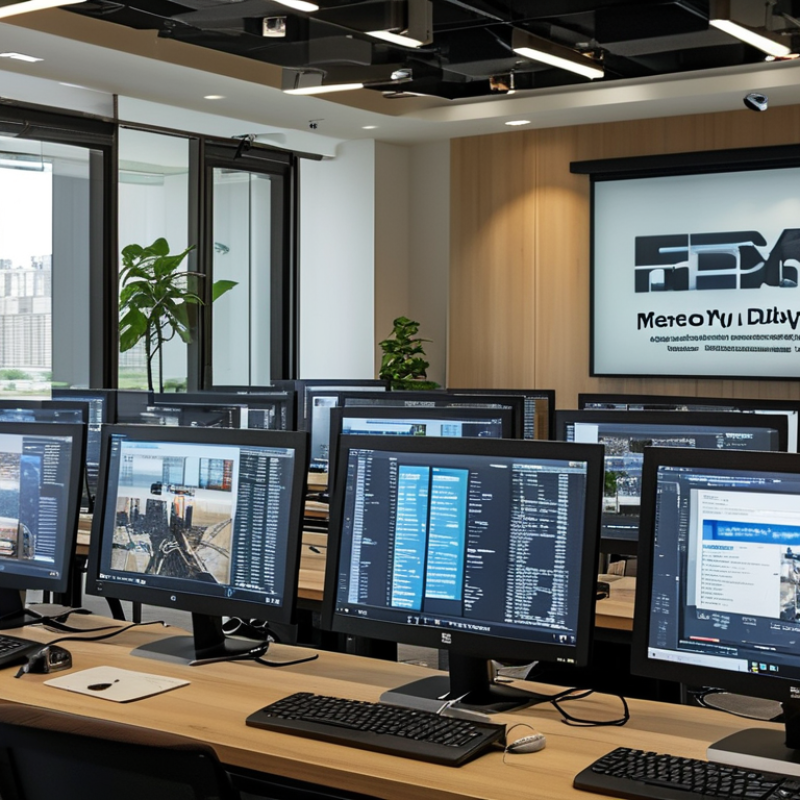
HDMI touchscreen displays are becoming essential in the modern business landscape. They provide an interactive experience that enhances collaboration and productivity. Businesses use these displays for presentations, training sessions, and customer engagement. This technology allows users to operate devices directly through touch, making interactions intuitive.
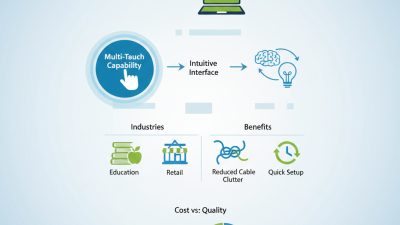
In many industries, including retail and education, touchscreen displays have revolutionized communication. For instance, a touch-enabled display in a retail store can showcase products while enabling customers to browse details. In classrooms, teachers utilize these screens to present lessons dynamically. However, not all touchscreen displays cater to business needs effectively. Some may lack durability or response accuracy.
Selecting the right product involves considering specific applications. An ideal display should be resilient and responsive. Businesses must also reflect on their setup requirements and space constraints. While technology advances rapidly, integrating it efficiently is crucial for real-world applications. This approach not only enhances user experience but also maximizes investment in technology.
Top 10 HDMI Touchscreen Displays for Your Business Needs
This chart represents a comparison of various metrics for the top HDMI touchscreen displays suitable for business environments. The data showcases key attributes such as size, resolution, brightness, touch technology, and price.
Key Features to Consider When Choosing an HDMI Touchscreen Display
When selecting an HDMI touchscreen display for your business, several key features deserve attention. The resolution is crucial. A display with 1920 x 1080 pixels provides clear images, beneficial for presentations and interactive applications. Research shows that higher resolution screens improve workplace productivity by enhancing clarity during meetings. Touch sensitivity also matters. Displays that support multi-touch can enable collaboration among a group, engaging users in dynamic ways.
Connectivity options are essential. Ensure the display has multiple HDMI ports. This allows various devices to connect without hassle. A report from TechTarget suggests that 72% of offices see improved efficiency with seamless device integration. Don’t overlook the aspect of durability. Commercial-grade displays often have toughened glass and anti-glare coatings, which help in high-traffic environments. Furthermore, consider size and format. A screen that fits your workspace optimally can enhance the user experience, allowing for clearer visibility from different angles.
Ease of use is another factor. Touchscreen displays should be intuitive enough for everyone. Complicated interfaces can lead to frustration. According to a study by Usability.gov, 60% of users abandon a touchscreen if it's not user-friendly. The right HDMI touchscreen display should not only meet technical specifications but also promote an efficient work environment, adaptable to varied business needs.
Top 10 HDMI Touchscreen Displays for Enhancing Workplace Efficiency
In today’s fast-paced business environment, integrating touchscreen displays into the workplace can significantly enhance efficiency.
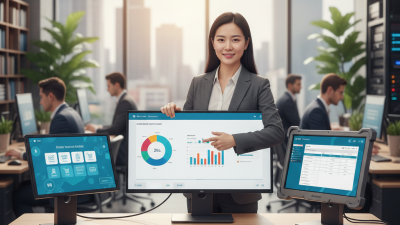
These displays allow for interactive presentations, streamlined collaboration, and dynamic communication. Imagine a brainstorming session where team members can directly manipulate ideas on screen. This fosters engagement and creativity in real-time.
Moreover, HDMI touchscreen displays offer superior resolution and clarity, ensuring that visual content is always sharp and easy to read. They are essential for training sessions, video conferences, and client presentations. Employees can access data quickly, making decision-making more agile. However, not all displays are created equal. Choosing the right model requires assessing factors like responsiveness and durability.
While touchscreen technology is innovative, it does have its limitations. Users might find the learning curve steep, especially for those accustomed to traditional interfaces. Additionally, frequent use can lead to wear and tear. Therefore, understanding the specific needs of your team is crucial. It’s wise to invest time in training and regular maintenance to maximize the benefits of these displays. By addressing these challenges, businesses can truly leverage the potential of HDMI touchscreen displays.
Comparative Analysis of Cost and Performance in HD Touchscreen Displays
When selecting HD touchscreen displays for business applications, cost and performance are critical factors. Recent industry analysis shows that the market for touchscreen displays is expected to grow significantly, driven by rising demand across various sectors such as retail and education. According to a report by MarketsandMarkets, the global touchscreen display market could reach $93 billion by 2026, reflecting a compound annual growth rate (CAGR) of 9.8%.
In terms of performance, resolution is a key consideration. Displays with higher resolution provide clearer images and better touch sensitivity. A study by IHS Markit found that 4K displays not only enhance user engagement but also improve overall productivity. However, businesses must assess the balance between price and performance. Premium models often come with advanced features but may not yield proportional benefits for all business types. In contrast, budget-friendly options may lack some essential functionalities, which could lead to frustration during use.
Business owners should also factor in the total cost of ownership. This includes installation, maintenance, and potential upgrades over time. Selecting a cost-effective model now can save money and headaches later on. Our findings indicate that while initial costs are important, the long-term performance impacts customer satisfaction and operation efficiency the most. Careful research into these facets can lead to more informed investment choices.
Future Trends in HDMI Touchscreen Technology for Businesses
The future of HDMI touchscreen technology for business applications holds great promise. As companies seek more interactive solutions, touchscreen displays are becoming essential tools. Advanced features such as multi-touch capabilities are increasingly crucial for effective presentations and collaborations. Businesses can enhance engagement by using these displays for training sessions and meetings.
Moreover, the demand for higher resolution screens is growing. Ultra HD displays provide clearer images, allowing users to see intricate details. This clarity can significantly improve data visualization in reports and presentations. However, challenges remain in integrating these technologies seamlessly with existing systems. Companies must invest in training staff to maximize the potential of these touchscreen displays.
Additionally, sustainability is becoming a focus. Eco-friendly materials and energy-efficient designs are gaining traction. Businesses are encouraged to consider their environmental impact when choosing displays. Yet, adoption of sustainable practices often comes with higher initial costs. It requires careful planning and evaluation of long-term benefits against upfront expenses. Balancing innovation with practicality will be key for businesses looking to utilize HDMI touchscreen displays effectively.
Top 10 HDMI Touchscreen Displays for Your Business Needs
| Model |
Screen Size |
Resolution |
Touch Technology |
Price ($) |
Business Application |
| Model A |
21.5 inches |
1920 x 1080 |
Capacitive |
250 |
Point of Sale |
| Model B |
24 inches |
1920 x 1200 |
Infrared |
350 |
Interactive Kiosk |
| Model C |
27 inches |
4K UHD |
Capacitive |
500 |
Corporate Meetings |
| Model D |
32 inches |
3840 x 2160 |
Optical |
750 |
Education |
| Model E |
43 inches |
4K UHD |
Capacitive |
1000 |
Digital Signage |
| Model F |
55 inches |
4K UHD |
Infrared |
1500 |
Collaboration |
| Model G |
65 inches |
4K UHD |
Capacitive |
2000 |
Video Conferencing |
| Model H |
75 inches |
4K UHD |
Optical |
3000 |
Presentations |
| Model I |
86 inches |
4K UHD |
Capacitive |
5000 |
Training Sessions |
| Model J |
98 inches |
8K |
Optical |
10000 |
High-End Collaboration |